
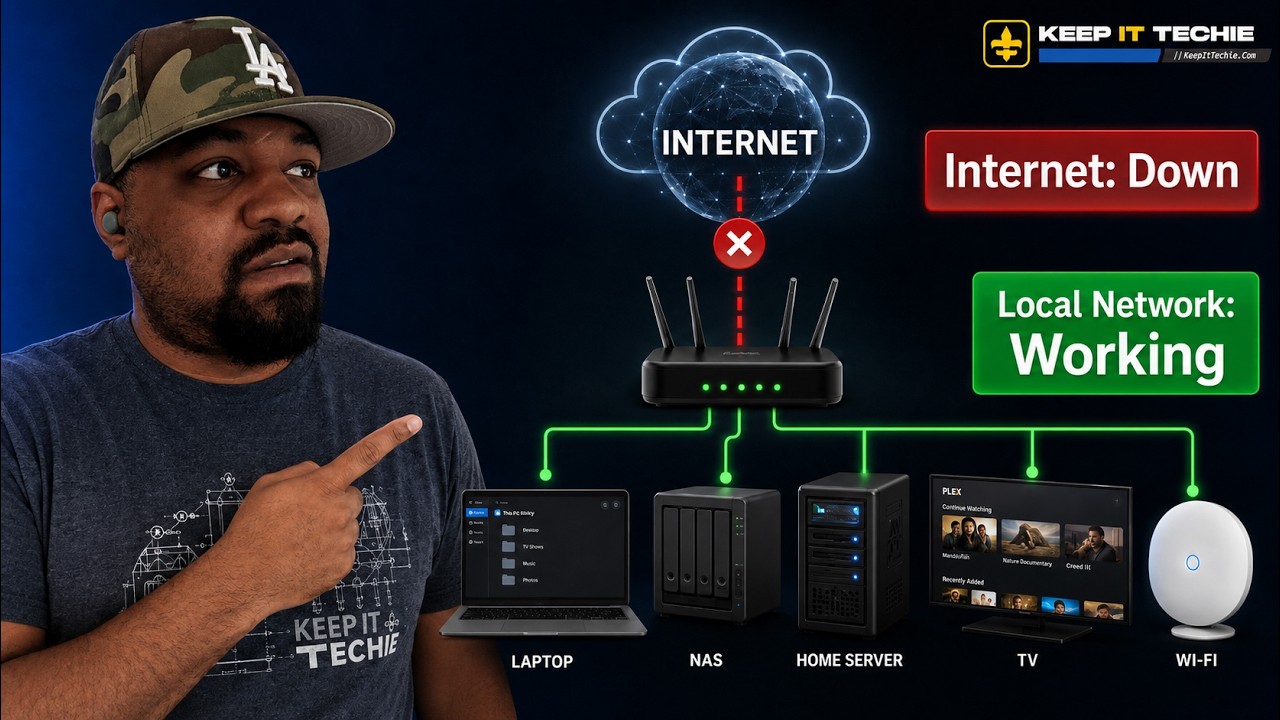
Why your home should keep working without the internet
I get asked a lot whether homelab and self-hosting is just fear-based prep. It is not. The point of a local-first home network is simple: make sure devices, storage, media, and basic services keep working inside your house if your ISP connection drops. Your internet connection and your local network are not the same thing. Treating them as separate pieces of infrastructure makes daily life more reliable and less frustrating.
This post follows the same practical thinking I shared on the KeepItTechie channel. We will look at what you should expect to keep working locally, how to test it, and common mistakes that bite people when the internet goes down.
What should you expect from a local-first network?
At minimum, aim for these capabilities while offline:
- Local name resolution. Being able to reach devices using hostnames rather than memorizing IP addresses. This is basic convenience that also helps scripts and apps keep working.
- File access. Important documents, photos, and backups should be available to family members even when the cloud is unreachable.
- Media playback. Local media servers should continue streaming movies, music, and photos inside the home.
- Documentation and recovery instructions. If something breaks, your recovery steps need to be available without reaching a cloud wiki.
- Device control. Locally hosted services and smart devices that can operate on the LAN should still be reachable.
Services that are useful to run locally
The video lists a handful of practical services that are ideal for local-first setups. These are not exhaustive, but they are proven examples:
- Pi-hole - Local DNS and ad blocking. It can also provide local name records so you can reach servers by hostname. It is lightweight and a great first step.
- Jellyfin - A local media server for movies, music, and photos that runs entirely on your network.
- Syncthing - Peer-to-peer file sync between devices. Great for keeping laptops and phones synchronized without the cloud.
- Nextcloud - A self-hosted suite for files, calendars, and notes that can run on your LAN.
- Samba shares - Traditional SMB network shares for direct file access from Windows, macOS, and Linux.
- NAS storage - A centralized place to store backups and media that is always available on the LAN.
Put simply, if you can host it locally, it should have a local endpoint. Avoid designs that require round trips to the internet for basic LAN functionality.
Checklist: What to test right now
Do these tests to evaluate how your home behaves during an outage. You do not need to be an expert to run them.
- Can you reach local servers by IP address? Ping or open the IP for your NAS, server, or media box.
- Can you reach local servers by hostname? Try the friendly name you normally use in a browser or file manager. If that fails, you may not have local DNS.
- Are file shares available? Map a Samba share or open your NAS shares from another machine.
- Can you stream from your media server? Start a movie from Jellyfin or your chosen app.
- Are your recovery docs accessible? Open your notes, README, or local wiki where you store instructions for restores and password recovery.
- Do backups run without internet? Confirm at least one backup destination is local.
If you can answer yes to most of these, you are in good shape.
How to simulate the outage safely
There are two common ways to test your local resilience:
- Unplug the WAN link on your router or disable the router's upstream connection. This is the most realistic test. Have a phone or alternate connection handy in case you need the internet back quickly.
- Block or disable the router's DNS forwarding temporarily so you can see what services break due to DNS rather than network reachability.
Run through the checklist above while the WAN is disabled. Make notes on what failed and why.
Common gotchas and mistakes to avoid
-
Relying on cloud-only smart devices. Many consumer smart devices and cameras only work via the vendor cloud. If you expect local control, check the device documentation or test it offline first. This is one of the most common surprises.
-
Putting recovery documentation only in the cloud. If your troubleshooting steps and credentials live only in a cloud document, you will be stuck when your connection is down. Keep a local copy on your NAS or a local wiki, and consider a printed copy for critical recovery steps.
-
Assuming hostnames will keep working. Hostname resolution can be provided by your router, by mDNS, or by a local DNS server like Pi-hole. If your setup uses an external DNS provider for local hostnames, those names will stop resolving when the internet is gone. Set local DNS entries or run a local resolver.
-
Expecting everything to be reachable via the ISP gateway. Some ISP-provided gateways lock down local networking or rely on provider control. If your DHCP and DNS are tied to an ISP-managed device that goes offline or is auto-updated, you could lose local services. Where possible, run critical services on hardware you control.
-
Not testing regularly. Networks change, devices update, and apps move to cloud-only modes. Test your offline capabilities every few months after changes.
Priorities when designing a local-first network
If you are starting from zero, prioritize in this order:
- Local DNS and DHCP. Names are a huge quality-of-life win and prevent a lot of confusion.
- Local storage and backups. Make sure important files and at least one backup repository live on site.
- Media and collaboration tools. If you host family photos, media, or notes, ensure these services have stable local endpoints.
- Synchronization tools. Use Syncthing or similar for device-to-device syncing so files keep moving even without cloud access.
- Documentation and recovery. Keep a local wiki or accessible notes with passwords, network diagrams, and restore steps.
Small steps that pay off
You do not need a full rack of servers to get benefits. Even one small Raspberry Pi or single-board server running a local DNS resolver and a wiki can dramatically improve offline usability. A cheap NAS can host backups and media for everyone in the house.
Final thoughts
This is not an argument against the cloud. The cloud is great for redundancy, remote access, and services you do not want to run yourself. The point is to be deliberate. Decide which services need to work inside your home without the internet and give them local endpoints. That will make daily life more predictable and reduce panic when your ISP has an outage.
If you want more ideas on specific tools and how to connect them, check the KeepItTechie channel where I walk through examples like Pi-hole, Jellyfin, Syncthing, Nextcloud, Samba, and NAS setups. Try the checklist, run the outage tests, and tell me in the comments what survived in your house.
Josh
~ KeepItTechie